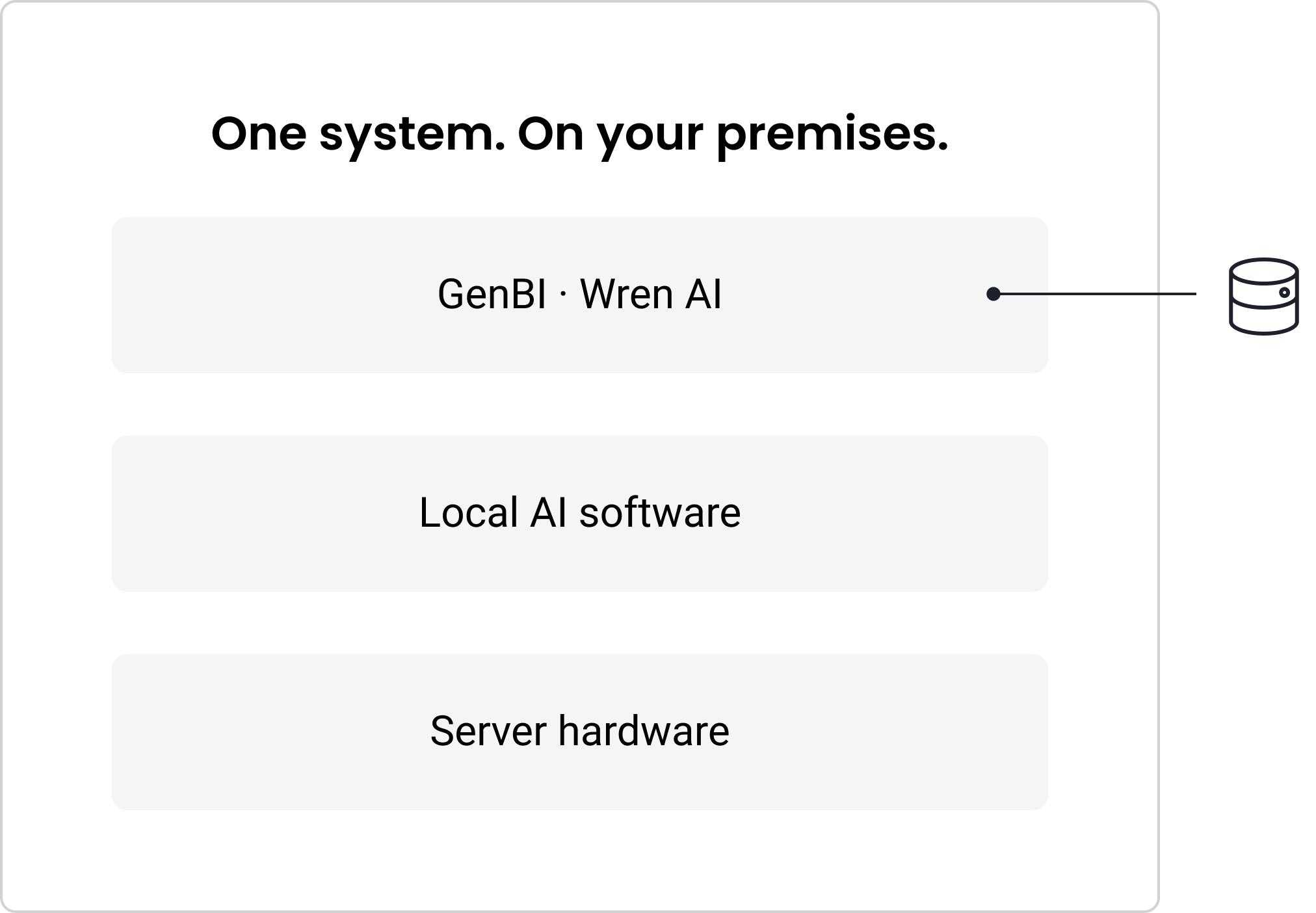
Generative business intelligence (GenBI) lets your team ask questions about business data in plain language. You get hardware and software, integrated and supported—and the GenBI application and AI inference run on your premises. 14 days from data connection to production.
Your business already has data, dashboards, and analysts. But a new question can still mean another report request and another wait. Phison AI Data Platform: GenBI gives business users a conversational way to explore approved data and ask follow-up questions. Wren AI provides the GenBI experience with answers as charts, dashboards, or text, and the SQL behind each one.
Your data team keeps the business definitions and checks the answers. GenBI works alongside your existing BI tools and analysts.
How it works
Three steps take you from a business question to an answer you can check.
Connect approved data
Wren AI connects to your supported databases and queries them in place. Your data team defines the tables, metrics, and business terms the AI can see.
Ask in plain language
Business users ask questions and follow-ups without writing SQL. AI agents can use the same governed interface through Wren AI.
Check the answer
See the answer as a chart, dashboard, or
written response. Each answer shows the tables, columns, and SQL used, so your team can check it.
Wren AI supports 20+ data sources, including PostgreSQL, SQL Server, Oracle, MySQL, and Snowflake. Supported sources are confirmed for each deployment.
Phison brings the GenBI application, local AI software, and server hardware together in one integrated solution, sized for your team and workload.
GenBI powered by Wren AI
Natural-language questions, follow-up analysis, charts, dashboards, and reports. Data connectors, a semantic model, and access controls give the application its business context.
Phison AI Data Platform software
A local model runtime, aiDAPTIV Middleware, and model and service configuration, plus management and monitoring for the server.
Pascari aiDAPTIV™
Combining purpose-built cache memory and middleware, aiDAPTIV keeps eligible AI context and reuses it, so the GPU repeats less work.
AI server with Pascari aiDAPTIV™
GPU compute, system memory, aiDAPTIV Cache Memory, and Pascari enterprise SSDs. We’ll help you choose a configuration for your needs. aiDAPTIV keeps eligible AI context and reuses it, so the GPU repeats less work.
Your business questions.
AI processing on your premises.
The GenBI application, prompts, model context, and AI inference stay in your environment. No cloud LLM is required.
Your IT and data owners control access to approved sources. Your team defines the business context the application uses. Other cloud services can keep running separately, under your own policies.
Support more GenBI activity on the same GPUs. aiDAPTIV keeps eligible AI context in a flash memory tier and reuses it. The GPU repeats less work, so responses start sooner and the same GPUs get more done.
When fewer or smaller GPUs meet your workload, you may also save on hardware cost, power, and noise.
concurrent sessions, same GPUs
×
reports completed
×
Wren AI-reported results with and without aiDAPTIV. Results vary by configuration and workload.
14 days from data connection to production
A guided rollout takes your data, business definitions, and users to a working GenBI deployment. The delivery plan sets the prerequisites and roles before day 1. The 14 days start at data connection, and server installation and data access are completed first. Your team provides data access, business definitions, answer checks, and IT support.
Days 1–2
Connect and set up
Connect the GenBI environment to approved data sources and set up access.
Days 2–3
Build the business model
Review tables, joins, metrics, and business terms with your data team.
Days 3–5
Add real questions
Load the questions your teams actually ask, with known answers to check against.
Days 5–8
Tune and validate
Review the generated SQL and results. Refine the business context until answers meet the agreed-upon bar.
Days 8–13
Pilot with users
Test answers, dashboards, speed, and daily workflows with a small group.
Day 14
Go live
Move the agreed-upon use case into production and hand over to your team.
Choose the capacity your team needs.
Tell us what your team needs to do and how many people will use it. We’ll recommend the model and server configuration to meet your needs. AI servers come with four or eight GPUs.
Reference configurations. Final hardware, cache memory, storage, and sizing are agreed upon for each deployment. *Phison lab tests, October 2026, on AI Server – 4 GPU and AI Server – 8 GPU, with aiDAPTIV. Results vary by model and workload.
WHY PHISON
Built on more
than 25 years of
flash engineering.
Phison has designed NAND flash controllers, firmware, and enterprise storage for more than 25 years. That work keeps flash reliable under heavy, nonstop load.
AI needs that engineering too. GPU memory is small and expensive, and it often limits what AI can do. aiDAPTIV applies Phison’s flash engineering to that limit, adding a memory tier beside GPU memory and system memory.
Phison brings that technology, the Wren AI GenBI application, and the server hardware together, integrated and supported.
Who delivers and supports GenBI
Phison and partners deliver, set up, and support every system. Wren AI provides the GenBI application. Your team brings the business knowledge that makes the answers useful. Deployment scope, commercial contact, and support roles are agreed upon for each engagement.
Phison
The integrated platform and aiDAPTIV.
Wren AI
The GenBI application and application support.
Delivery partners
Hardware installation, data integration, onboarding, and
local coordination.
Your IT and data owners
Data access, business terms, and answer checks with your users.
Start with GenBI.
Grow when you’re ready.
GenBI is the first solution on the Phison AI Data Platform. Start with one team and one data domain. Add users and data sources as use grows.
The broader
Phison AI Data Platform
More AI applications and multi-server configurations are coming soon.
Bring onebusiness question. Let’s scope an evaluation.
Choose one team and one data domain. Together, we’ll agree on what a useful answer looks like, how fast it needs to be, how many people will use it, and the configuration to support it.